



Be Prepared – Make Sure We Have Your Up-To-Date Contact Info
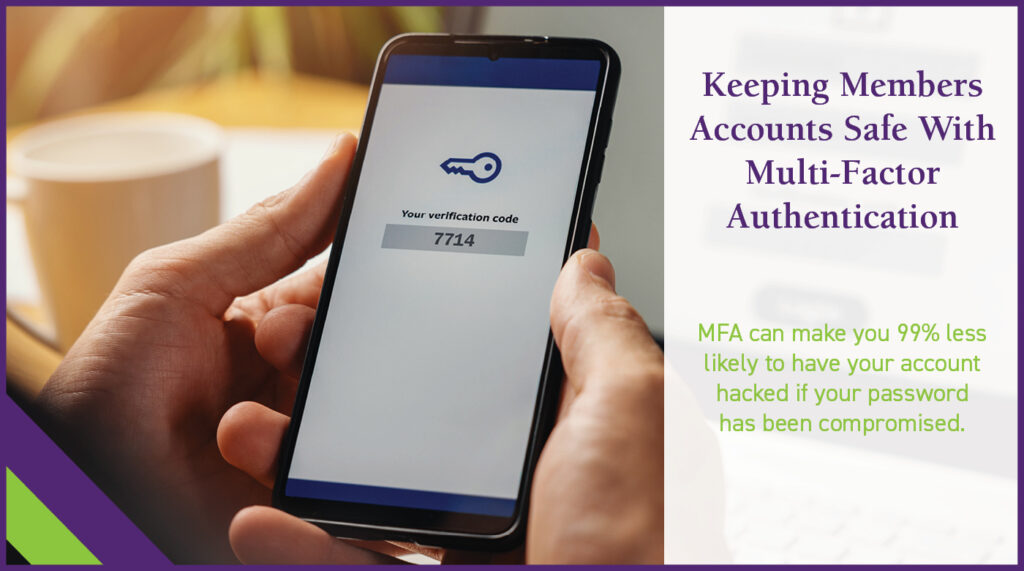
Exciting news! PFCU is taking another step to prevent fraudsters from accessing your account. Coming in September, Multi-Factor Authentication (MFA) will be added to our Mobile App and Online Access. Also known as “two-step verification,” MFA is a security process that requires more than one step to log in to your account.
We want the transition to MFA to be smooth with no issues when you try to log in after MFA has been activated. To accomplish this, we’re asking you to:
- Verify current contact information.
- If something is incorrect, please change it.
- If something is missing, please add it.
Here’s how to do it.
Step 1 (Mobile Phone)
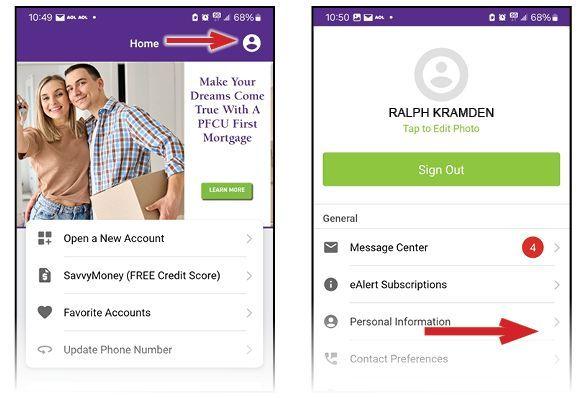
Log in, and at the top right, you will see a white circle. See the image below on the left. Click on the circle and then the image on the right will pop up. Click on “Personal Information,” the third item in the list. Go to Step 2.
Step 1 (Online Access)
At the top right, you will see your name and an orange circle with your initials on it. Click on the down arrow just to the right of your initials. The “Personal Info & Settings” box will pop up. Click on the arrow just to the right of it.

Step 2:
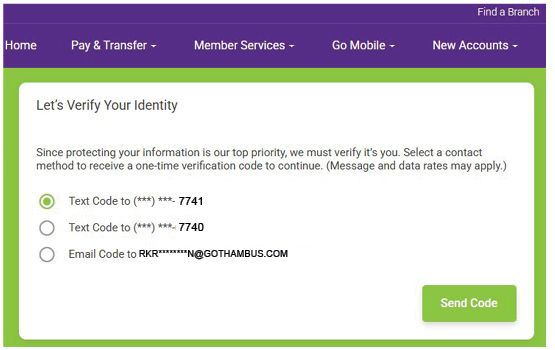
The “Let’s Verify Your Identity” box comes up. Click on the option on how you wish to receive your verification code and then click on “Send Code.”
Step 3:
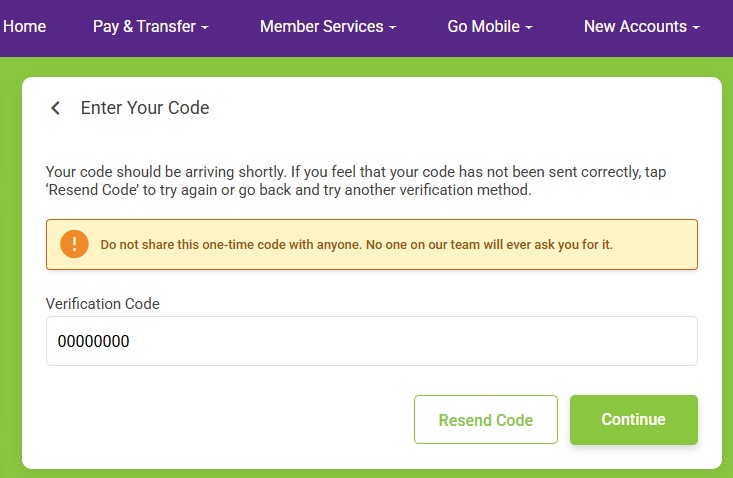
Go to your cell phone or email inbox to get your verification code. Type in your code in the “Verification Code” box as seen below. Next, click on the “Continue” button in the lower right.
Step 4:
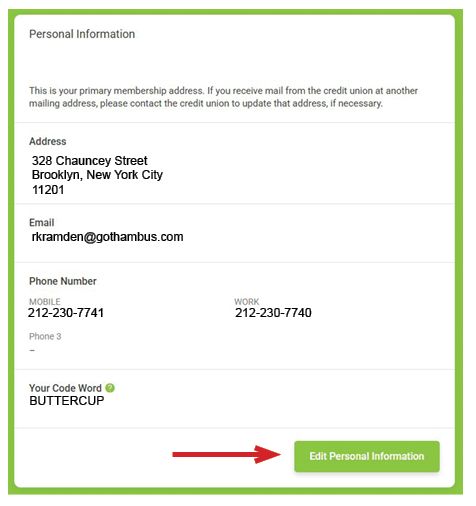
The “Personal Information” box will appear. In the lower right, click on “Edit Personal Information.”
Step 5:
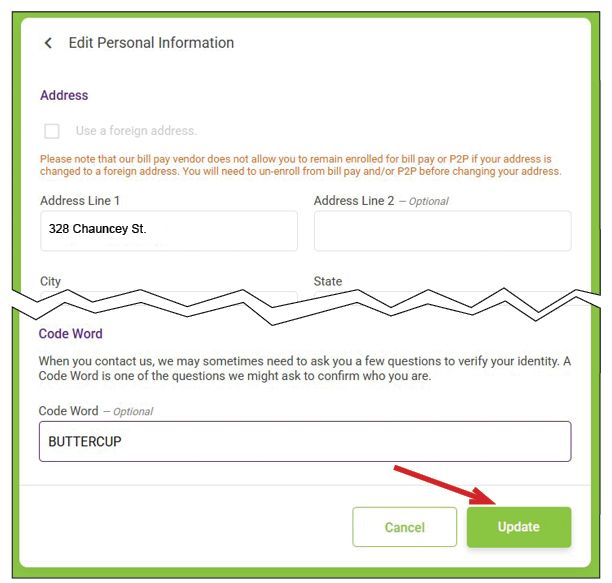
The “Edit Personal Information” box will appear.
- Review each of the fields—address, city, state, zip, county, email address, phone numbers, and code word.
- If anything is incorrect, please change it..
- If anything is missing, please add it.
- Click “Update” when you are finished.
Thank you for reviewing your contact information and taking additional steps towards protecting your account with PFCU.